

Microsoft has taken a strong, victim-centered stance on the issue of Non-Consensual Intimate Imagery (NCII), being the first search engine to partner with StopNCII.org.
If you or someone you know needs to remove harmful content from Bing search results, here is a guide on how to navigate the process.
While Bing is known to be a niche search engine, its results are often used by other search engines (e.g., DuckDucko and Yahoo), so deindexing from Bing is important when reducing the distribution of NCSEI.
Microsoft provides a dedicated Report a Concern page for various safety issues, including NCII/NCSEI reporting.
Step 1: Gather Evidence
Before you start the form, you need two specific pieces of information for every image or video you want removed:
- The Source URL: This is the direct link to the website where the image is hosted (e.g.,
thewebsite.com/image123). - The Bing Search Result URL: This is the URL to the Bing search results where you saw the content appearing.
Step 2: Access the Microsoft Reporting Portal for NCII
Microsoft handles these requests through a centralized reporting portal.
- Visit Microsoft’s reporting portal at https://www.microsoft.com/en-us/concern/bing.
- Under “What product are you reporting on?”, select “Bing Search”.
- Answer “Tell us about your concern” with “Exposed personal information”.
- Finally, under “What did you find?”, select “Non-consensual intimate imagery”.
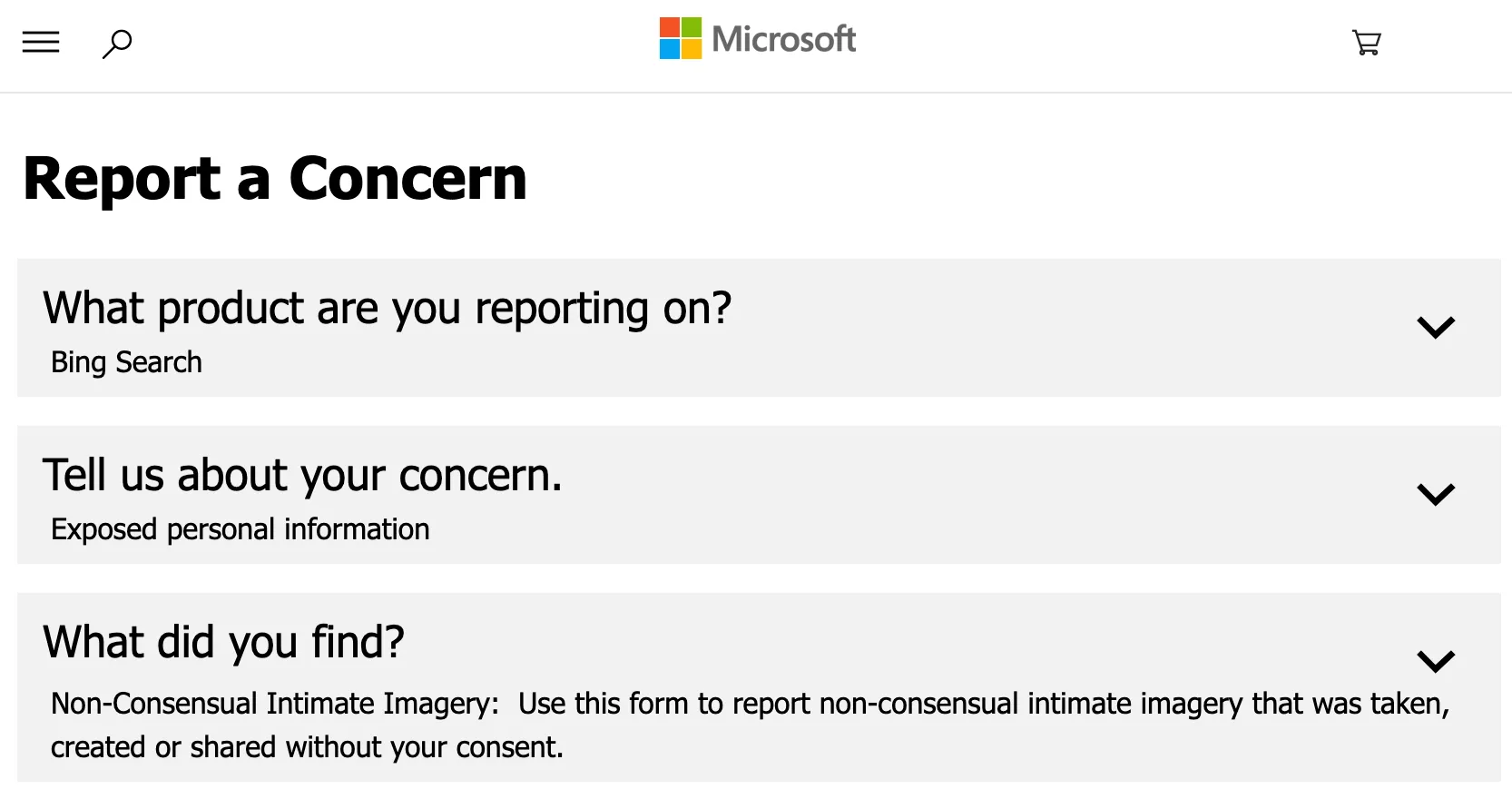
Step 3: Complete the Removal Form
The form will ask for your contact information and the URL links you gathered in Step 1.
Ensure the URLs are exact. If a link is broken or slightly wrong, the automated system may reject the request.
Highlight: Bing Content Removal Tool for Outdated Results
Sometimes, a website may delete the image from the original site, but a snippet or preview of the image still shows up in cached Bing search results.
- If the original page is gone (gives a 404 error) but Bing still shows it, use the Bing Content Removal Tool.
- You will enter the URL and a piece of text that no longer exists on the live page to prove the search result is “outdated.”
Important Considerations
- Global De-indexing: When Microsoft approves an NCII removal request, they typically remove the link from search results globally, not just in your specific region.
- The Source Still Exists: Even if Bing removes the link, the image is still on the original website. You must still contact the website owner (the webmaster) or the hosting provider to have the actual file deleted. For more information, check out our article on Delisting vs Takedowns.
- Stay Persistent: If a request is denied, check the URLs for errors and resubmit. The goal is to break the path between the search engine and the harmful content.
This post was last updated on December 22, 2025.