Finding intimate images of yourself online without your consent is a uniquely distressing experience. While Google cannot delete content from the source website itself, they have a strict policy to remove these links from their Search results so others cannot find them.
For most victims, the NCSEI path is faster and offers better long-term protection against “re-uploads” than a standard intellectual property claim. Additionally, the NCSEI reporting route does not leave a link to Lumens Database in the Google search results.
This guide walks you through the steps to submit a removal request under Google’s NCSEI (Non-Consensual Sexual Explicit Imagery) policy.
Step 1: Gather Your Evidence

Before starting the form, you need to collect specific information. Google needs exactly where the content is located to take action.
- URLs of Google Search Results Page: Perform a Google search that shows the NCSEI content. Save the URL showing this content. Note that the URL will be long and typically begins with https://www.google.com/search?q=….
- URLs of the Content: Click through to the actual website where the image/video is hosted. Copy the URL from your browser’s address bar.
- Screenshots: Take clear screenshots of the content on the webpage. Important: If the imagery involves a minor (under 18), do not take or upload screenshots, as this may violate laws regarding child sexual abuse material. For adults, screenshots help Google identify the correct images.
Step 2: Access the Request Form

Google has a dedicated “Personal Content Removal” tool, which can be found at Google Search Help - “Request to have your personal content removed from Google Search”.
Step 3: Specify the Type of Content

The form will ask for the reason for removal. To trigger the NCSEI policy:
- Select “Content contains nudity or sexual material.”
- Choose the sub-category that best fits (e.g., “Intimate or explicit images or videos of me shared without my consent” or “Pornography irrelevantly linked to my name”).
Step 4: Describe Details
You will be asked a series of questions to verify the request:
- Are you the person in the imagery? You can submit for yourself or as an authorized representative (like a lawyer or guardian).
- Is the imagery “fake” or a “deepfake”? Google also removes non-consensual AI-generated or edited explicit content.
- Contact Information: Provide a valid email address so Google can send you status updates.
Step 5: Submit the Evidence
Paste the URLs you gathered in Step 1 into the provided fields.
- Search Query: Tell Google what words you typed into the search bar that caused the image to appear (e.g., “Your Name + [Site Name]”).
- Upload Screenshots: Attach the files you saved (Images of adults only).
Step 6: Review and Submit
Read the declaration at the bottom, sign with your name, and hit Submit.
- Confirmation Email: You will receive an automated email from Google confirming they received your request.
- Review Process: Google’s team will review the URLs against their policies, which can take a few days**.**
- Notification: You will receive another email letting you know if the request was approved or if they need more information.
- Removal: If approved, the URLs will no longer appear in Google Search results for queries involving your name.
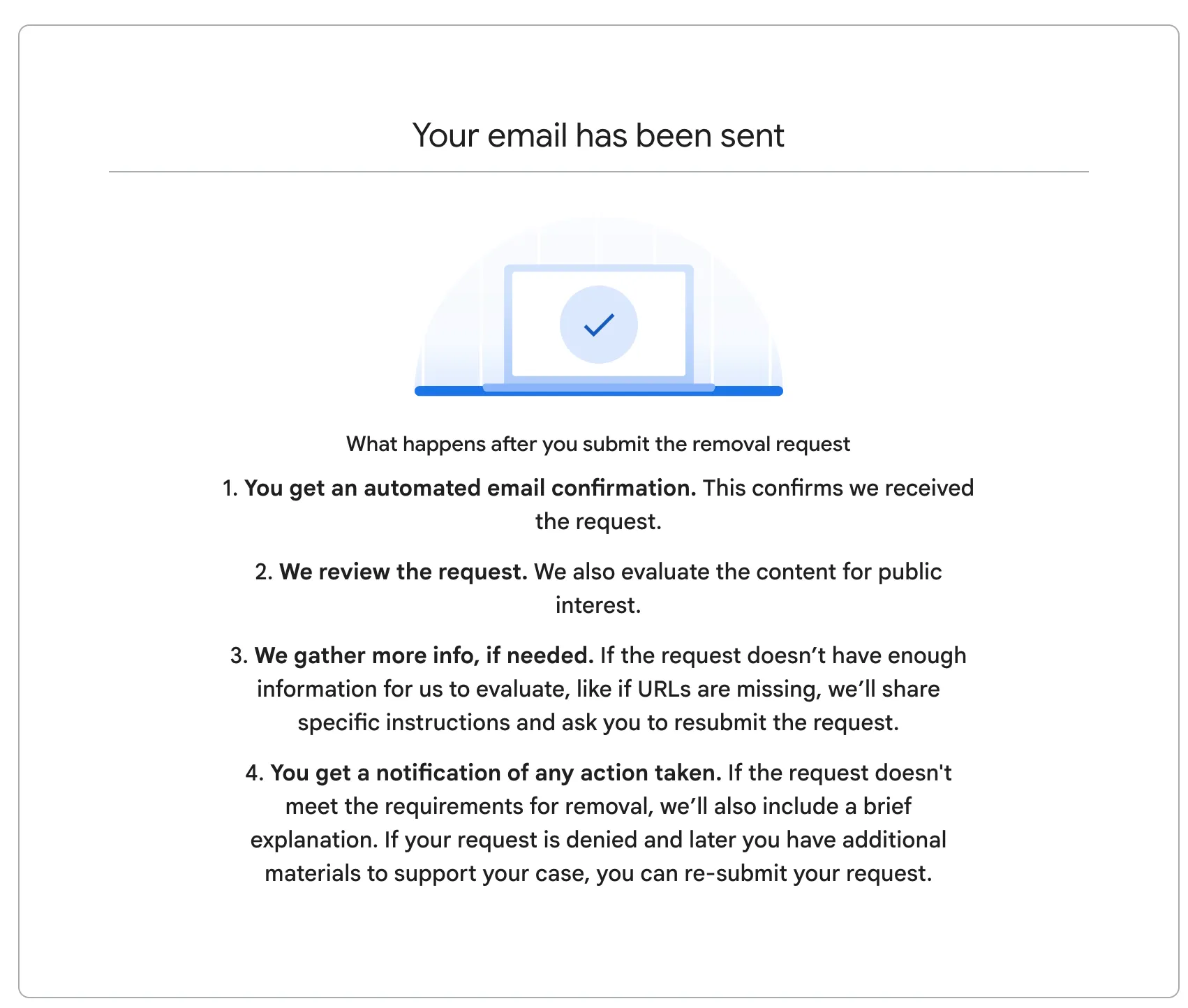
Confirmation message after submitting a successful report.
Important Reminders
- Global Relevance: The delisting applies worldwide, regardless of what country you or the website is located.
- **Delisting alone does not remove content.**Removing a link from Google doesn’t delete it from the website hosting it. You may still need to contact the website owner, web hosting providers, or upstream service providers to stop the spread of NCSEI across other platforms. Check out our article on delisting vs. takedowns for more information.
This post was last updated on December 22, 2025.